Working on product shots? AI Product Scene makes a generative edit to the scene, guided by your original image. Check the strength in the preview, then download.
 @pixoate.bsky.social
 @pixoate.bsky.social
Working on product shots? AI Product Scene makes a generative edit to the scene, guided by your original image. Check the strength in the preview, then download.
 @clippingworkagency.bsky.social
Clean white background. Smooth mirror reflection.
What we did: added a natural reflection under sneaker, perfume, bag and watch.
Why: depth and a premium, ready-to-sell look.


 @pixelsbeast.bsky.social
Sunshield Glow
A premium sunscreen visual combining SPF 50, hydration, and lightweight formula highlights with vibrant tropical styling.
#ProductDesign #SkincareDesign #EcommerceDesign #AmazonListing #ProductPhotography

 @madebymaple.bsky.social
Your product photos, without the photoshoot 📸
One phone photo → studio-quality shots with AI. 30 presets, strict product lock, audit every result.
 @laphototeam.bsky.social
Your product deserves more than a quick snapshot. 📸
Professional product photography helps showcase the quality and details customers need to see before they buy.
 @clippingworkagency.bsky.social
Gold shine. Emerald dial. Flawless detail.
What we did: polished the bezel, links and reflections.
Why: a premium, ready-to-sell look.
Contact us for quality-focused image editing services.
#WatchRetouching #ProductRetouching #LuxuryWatch #ProductPhotography #PhotoRetouching


 @pixoate.bsky.social
The high-speed splash shot, minus the studio cleanup. Product Splash Freeze uses AI to surround your product with a studio-quality frozen liquid splash. Free; adjust, preview, download.
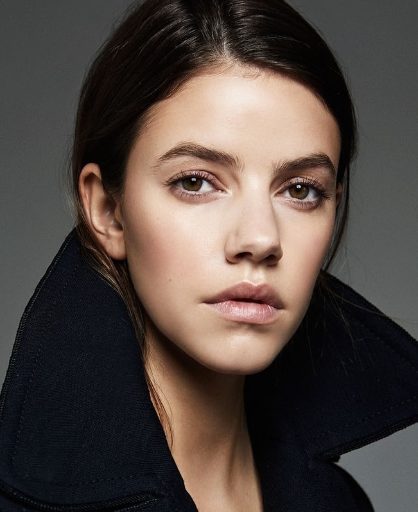 @closeupmodels.bsky.social
In beauty and product photography, hand placement and clean skin lines define the entire frame. Great camera work needs talent who know how to work with studio lights.
#ProductPhotography #HandModel #CommercialCasting #Photography
 @pixoate.bsky.social
Need clean product cut-outs now and then? Pixoate, compared with Photoroom: AI background removal, replace or blur the background, editing, upscaling and stickers in the browser, without a subscription for occasional use.
@pixoate.bsky.socialKeep the product in the product photo. This review worksheet walks through six checks after editing: label and model text, construction, material, color and variant, scale, export.
@pixoate.bsky.socialEvery upload destination has its own quirks. These photo workflows cover Shopify, Etsy, property portals, rental inspections, Google Business Profile and iPhone HEIC on Windows.
@pixoate.bsky.socialProduct photos from different suppliers rarely look like one catalog. This workflow chains background removal, enhancement, resizing and compression so every listing matches.
@pixoate.bsky.socialOffer ready, stock ready, email approved, and the campaign waits for a photoshoot. How to adapt existing product photos for seasonal campaigns.
@pixoate.bsky.socialThe basket looked generous in the photo, then it arrived. How to show scale in product photography with verified dimensions and honest reference objects.
@pixoate.bsky.socialWhite background or lifestyle photo? Ask which buyer question the image should answer. A guide to giving each product photo a clear role.
@pixoate.bsky.socialThe thumbnail looks fine. Then the shopper zooms and the stitching dissolves. Where upscaling helps with blurry product zoom, and when you need a new photo.
@pixoate.bsky.socialGood products can look cheap in poor photos. Buyers can't touch the item, so the image has to show the finish, texture and colour. How to improve it honestly.
@pixoate.bsky.socialShot your products on an iPhone and got HEIC files? How to convert them to JPG in bulk and keep every image attached to the right product and variant.
@pixoate.bsky.socialOld supplier photos look soft next to new ones? How to upscale product images in bulk, then check labels, texture, failed files and delivery size.
@pixoate.bsky.socialProduct images cropped for social ads can lose the handle, label or headline space. This guide covers portrait layouts, canvas space and platform previews.